SquadPT · PT planning made hassle-free

Less Planning. More PT.

Weekly plans your squad leaders own. A month the whole platoon can see. AFT scores that show you the weak event at a glance. Built by a soldier, for soldiers.

Watch the 3-minute tour

Free for every unit · no email on file · any phone

SquadPTShared · Live · ANVIL CO · SFC Marchetti
Edit
OCTOBER 2026 ↻ Refresh Save as PDF SFC MarchettiPSG
1ST · OCT 2026 MON 5 OCT
SFC MarchettiPSG
Squad
ANVIL CO — 2ND PLATOON · 1ST SQUAD PT PLAN
OCTOBER 2026
Event DONSA
MONDAY5 OCT
+ Schedule AFT
FOCUS
LOCATION
Fitness center
UNIFORM
APFU w/ trainers
INSTRUCTORS
SGT Duthie + asst
EQUIPMENT
Trap bars, plates
WARMUP
Dynamic 10 min
WORKOUT
Deadlift 5x5 @ 225
Rows + planks 3x10
COOLDOWN
Hamstring stretch
NOTES
Log the 3RM for AFT.
AAR
TUESDAY6 OCT
+ Schedule AFT
FOCUS
LOCATION
Post track
UNIFORM
APFU w/ trainers
INSTRUCTORS
CPL Maren
EQUIPMENT
Cones, stopwatch
WARMUP
A-skips + leg swings
WORKOUT
8x60 m sprints
Finisher: 4x40 m flys
COOLDOWN
400 m walk
NOTES
Full recovery on reps.
AAR
WEDNESDAY7 OCT
+ Schedule AFT
CompanyRuck march
SP 0530 — motor pool.
FOCUS
LOCATION
Range road
UNIFORM
OCP + ruck, 35 lb
INSTRUCTORS
SSG Verrick + medic
EQUIPMENT
Rucks, water, med bag
WARMUP
Ankle mobility
WORKOUT
6 mi @ 15:00 pace
Squad formation
COOLDOWN
Foot check
NOTES
SP 0530 at motor pool.
AAR
THURSDAY8 OCT
+ Schedule AFT
FOCUS
LOCATION
Motor pool hardstand
UNIFORM
APFU w/ trainers
INSTRUCTORS
SPC Ashcroft
EQUIPMENT
Sleds, kettlebells
WARMUP
Light sled drags
WORKOUT
SDC 4 lanes, timed
Carries 4x50 m
COOLDOWN
Shoulder mobility
NOTES
Weakest event — SDC.
AAR
FRIDAY9 OCT
+ Schedule AFT
FOCUS
LOCATION
Gym annex
UNIFORM
APFU w/ trainers
INSTRUCTORS
PFC Kirtland
EQUIPMENT
Rollers, bands, mats
WARMUP
Easy 800 m
WORKOUT
Mobility circuit, 40 min
COOLDOWN
Box breathing 5 min
NOTES
Hydrate. Long weekend.
AAR
MONDAY5 OCT 2026
FOCUSSTRENGTH
LOCATION
Fitness center
UNIFORM
APFU w/ trainers
INSTRUCTORS
SGT Duthie + asst
EQUIPMENT
Trap bars, plates
WARMUP
Dynamic 10 min
WORKOUT
Deadlift 5x5 @ 225
Rows + planks 3x10
COOLDOWN
Hamstring stretch
NOTES
Log the 3RM for AFT.
AAR
Sample data Fictitious unit, fictitious soldiers · live UI, not a screenshot

Tutorial

Three minutes, start to finish.

The whole thing on a laptop and on a phone: joining with a team code, the plan, events and DONSAs, the AFT screens, the command view.

Plays from YouTube when you press play — nothing loads before that. Open on YouTube ↗

01 Situation

Retire the workbook.

No more fighting an Excel workbook full of macros nobody was trained on. No more chasing down each squad's or platoon's PT plan the night before it's due. Every plan lives in one place, current, from squad to company.

9
Fields per day
5
AFT events scored
0
Emails on file

02 Layout for inspection

Layout for inspection.

Real captures from the running app — the board, the rollups, the brief. Scroll through them.
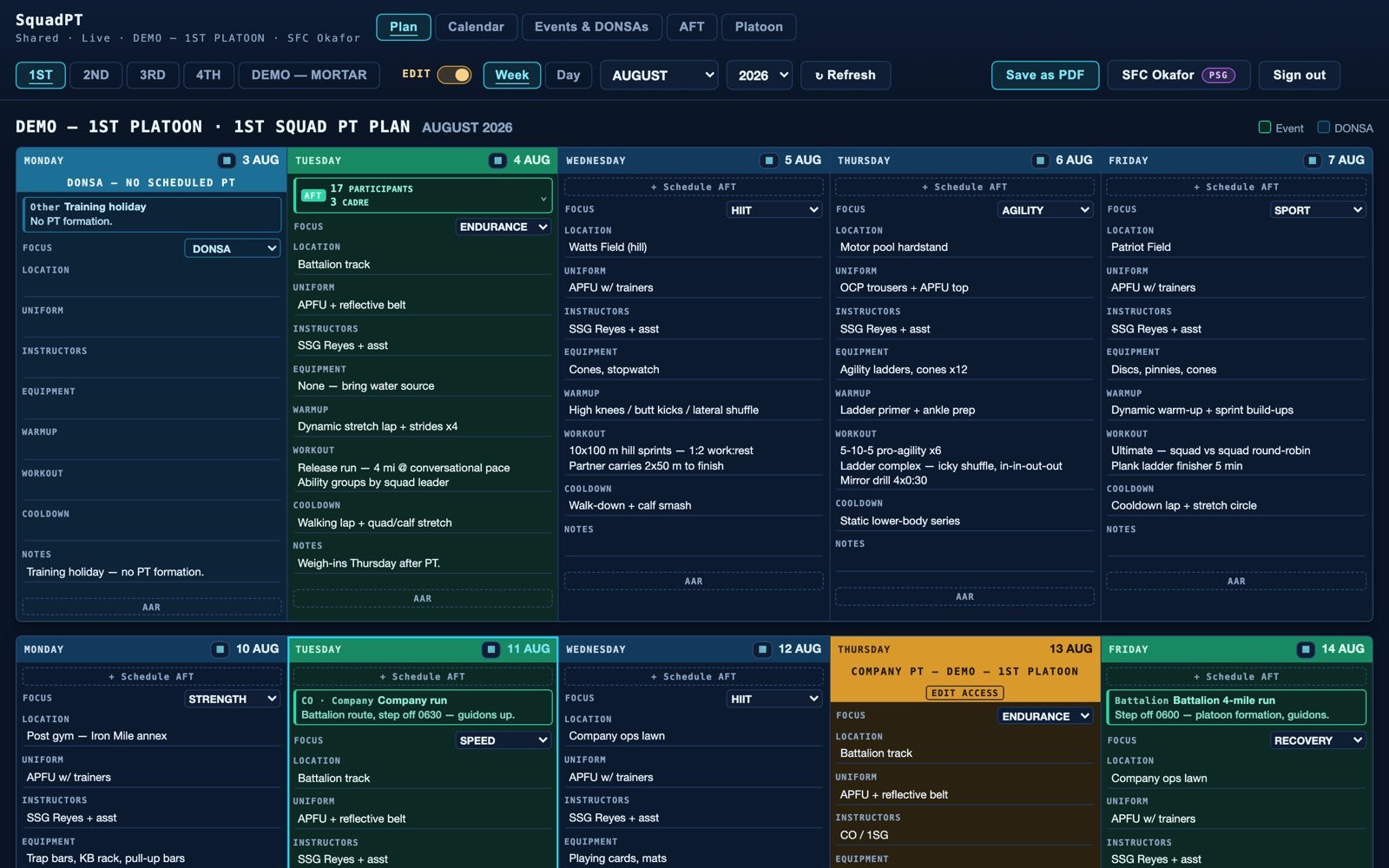
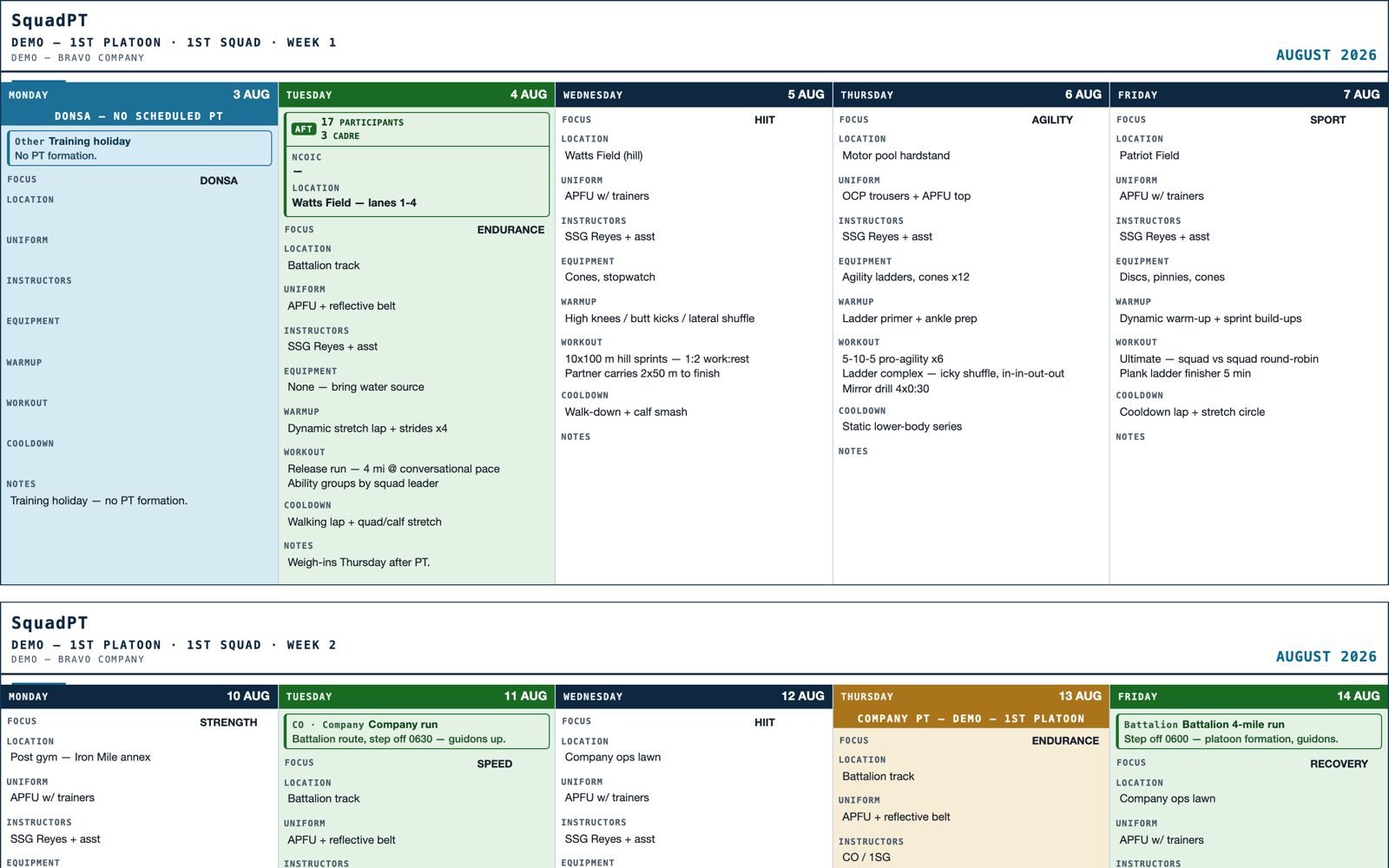
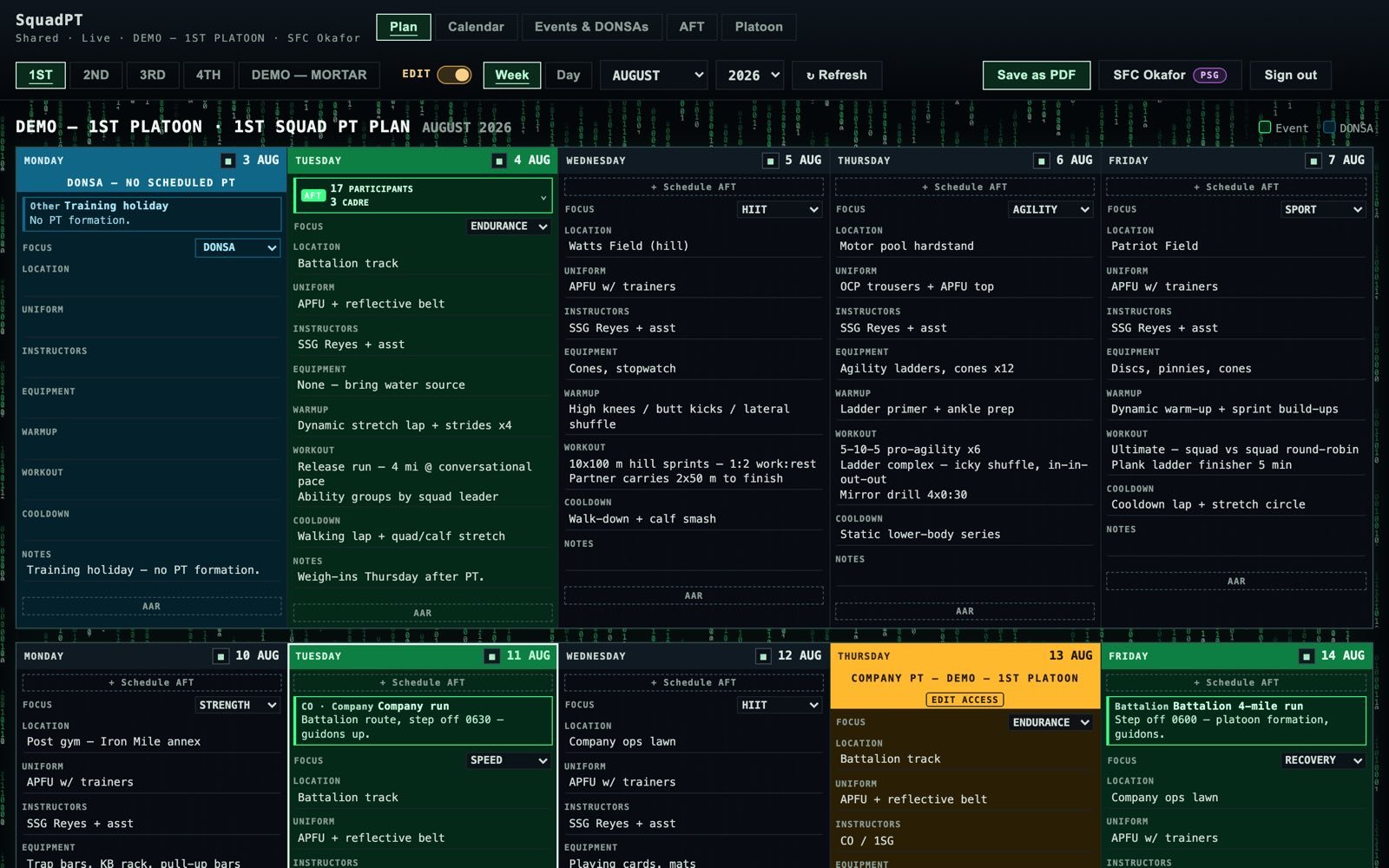
Weekly PT plan grid with five day columns and nine fields per day
01Weekly plan gridFive day columns, nine fields per day.
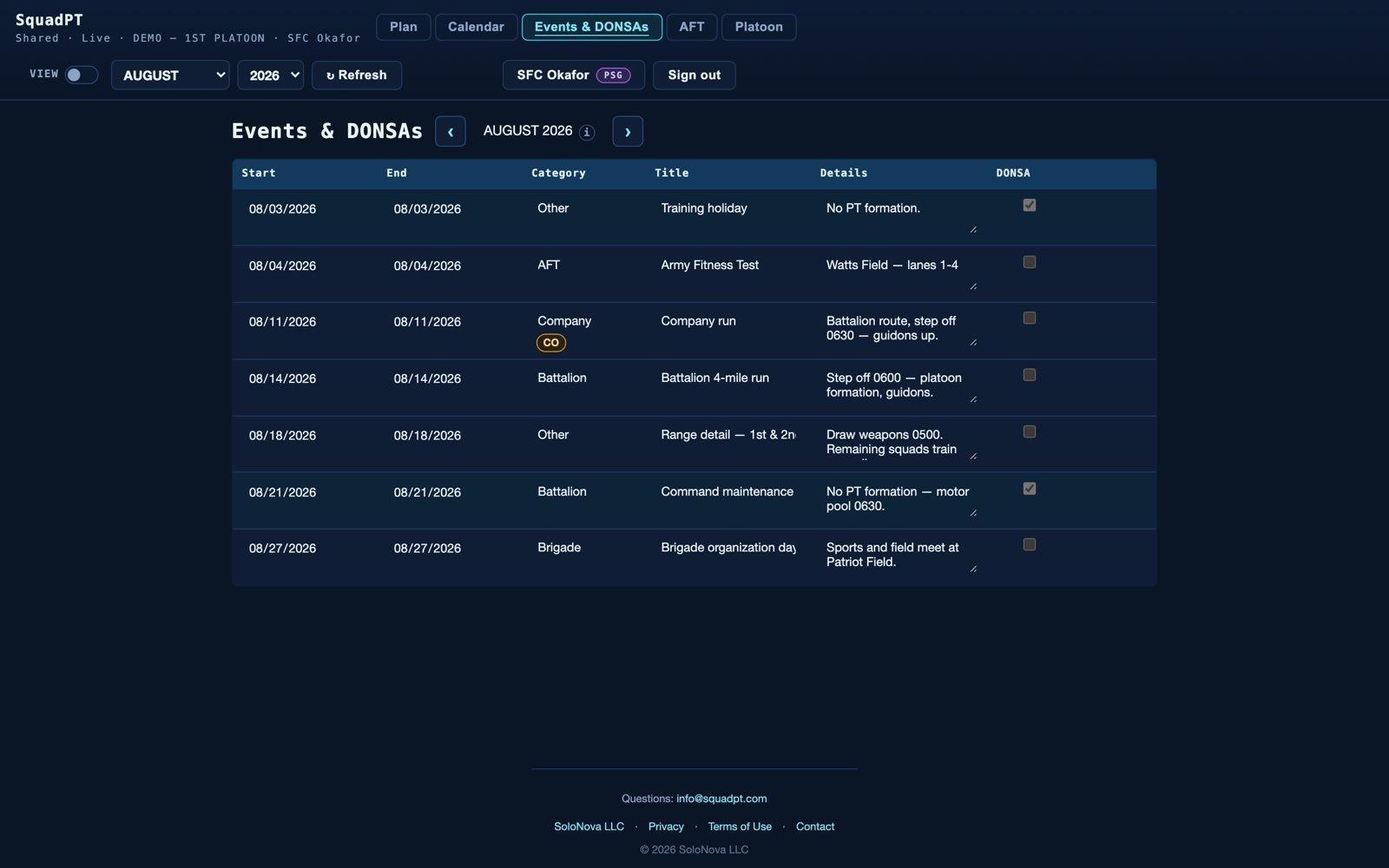
Platoon events and DONSA editor table
02Events & DONSAsPosted once at platoon level.
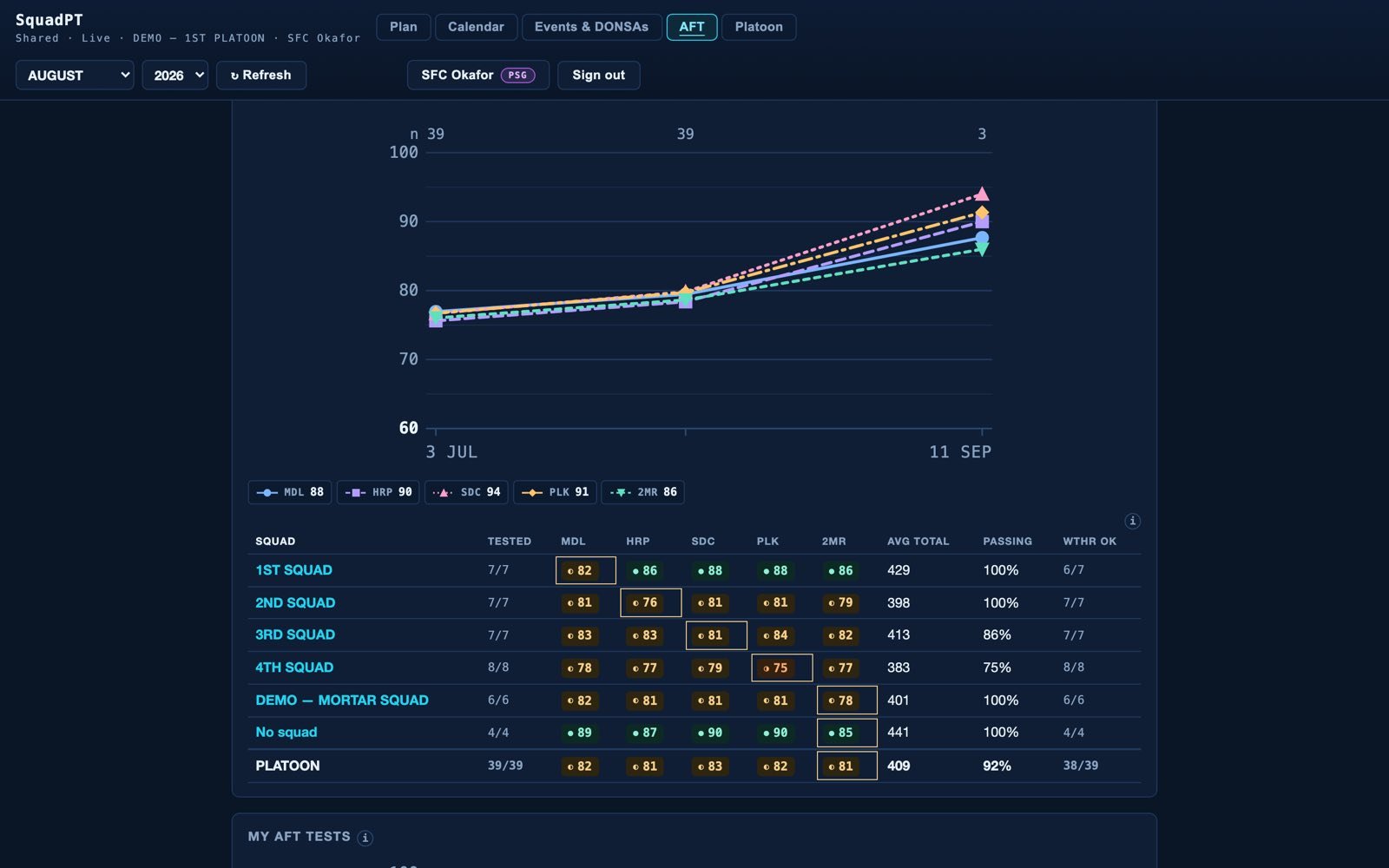
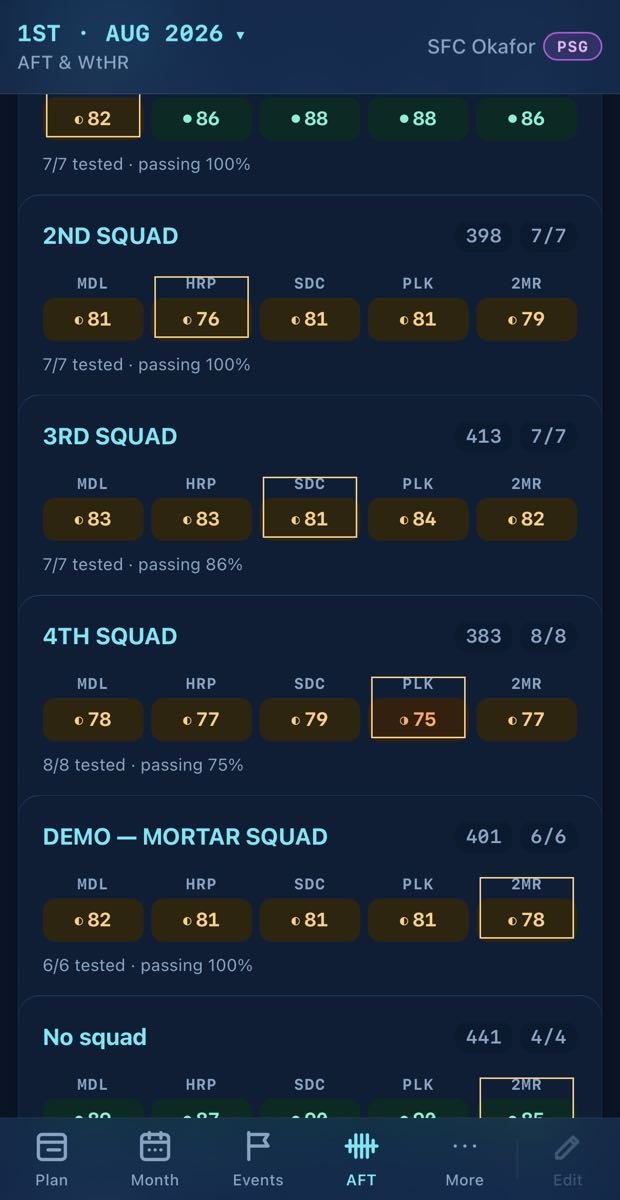
Platoon AFT rollup with colour-banded cells and the weakest event outlined
03AFT rollupColour-banded cells, the weakest event outlined.
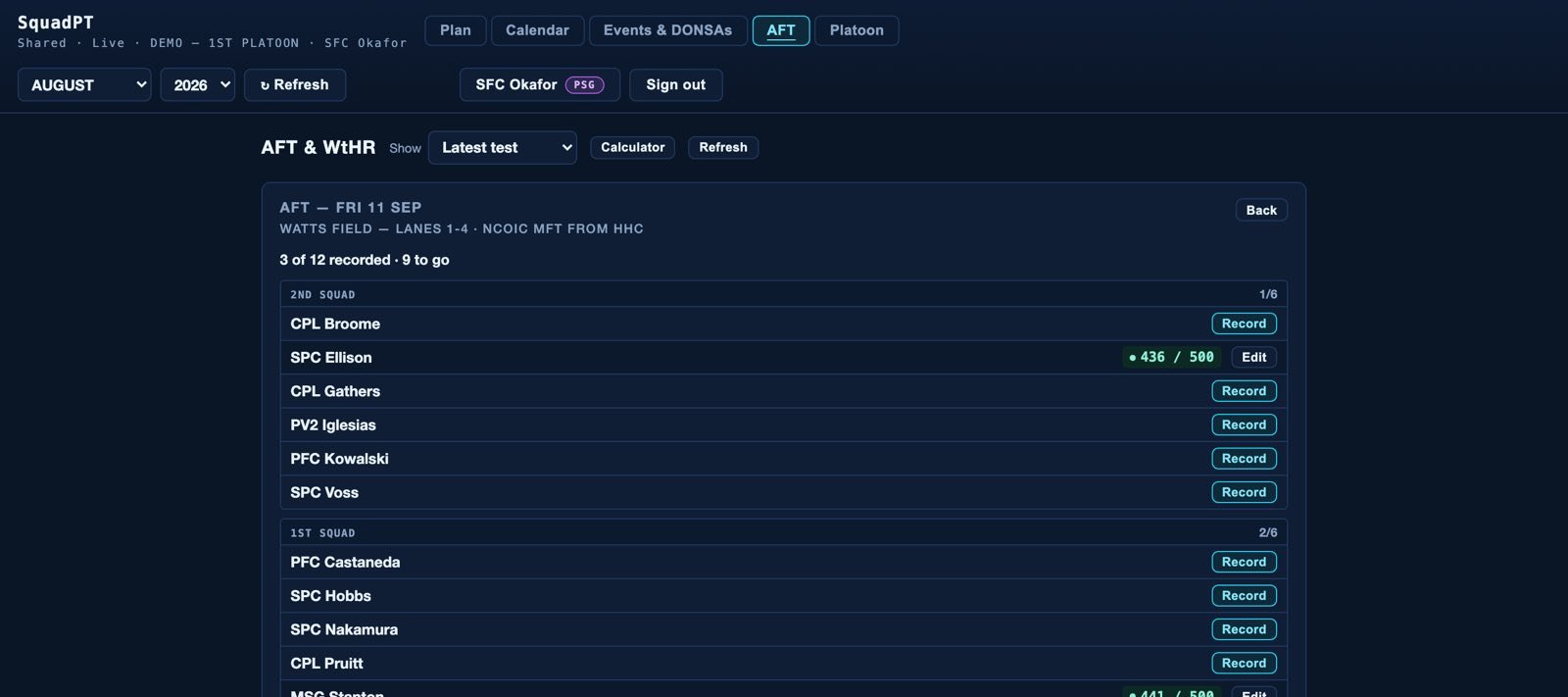
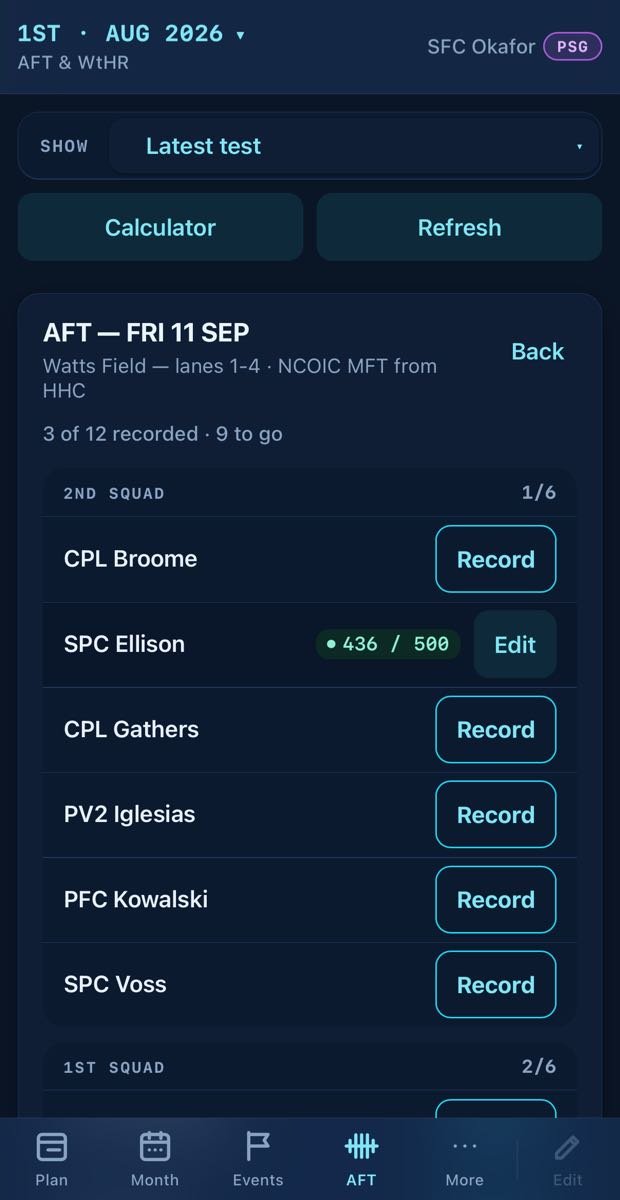
Test day roster and score-entry queue
04Test dayThe roster, and the score-entry queue.
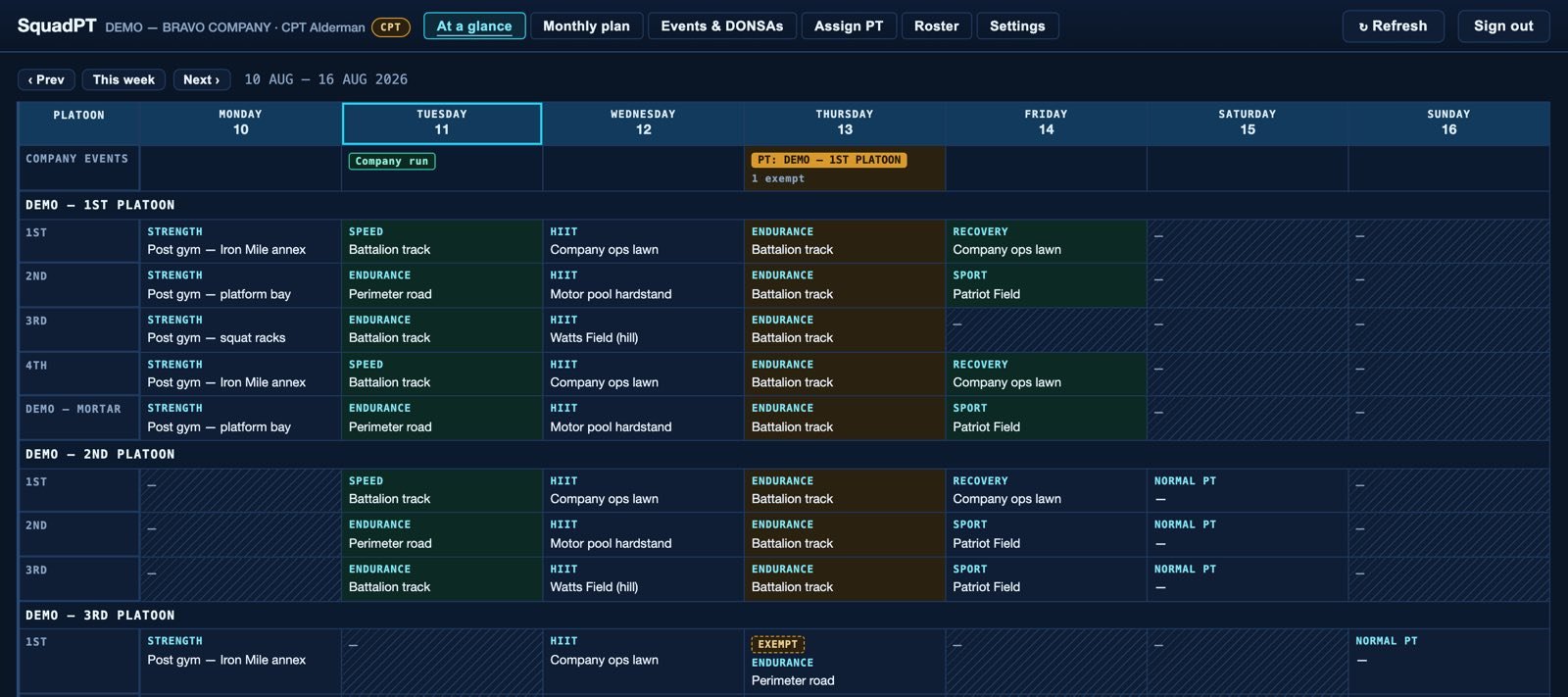
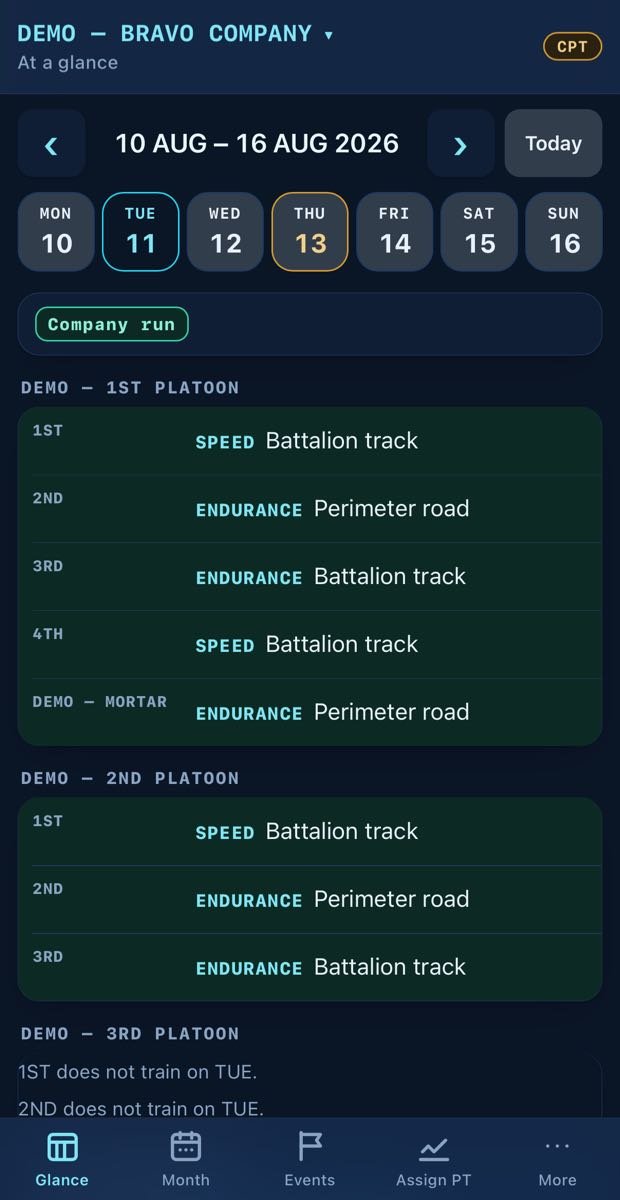
Company view with platoons linked under a company
05Company viewPlatoons linked under a company.
The printable one-page PT brief
06One-page PT briefSave as PDF from any squad's month.
The week board under the Terminal theme
07Terminal themeThe same week board, mono and graphite.
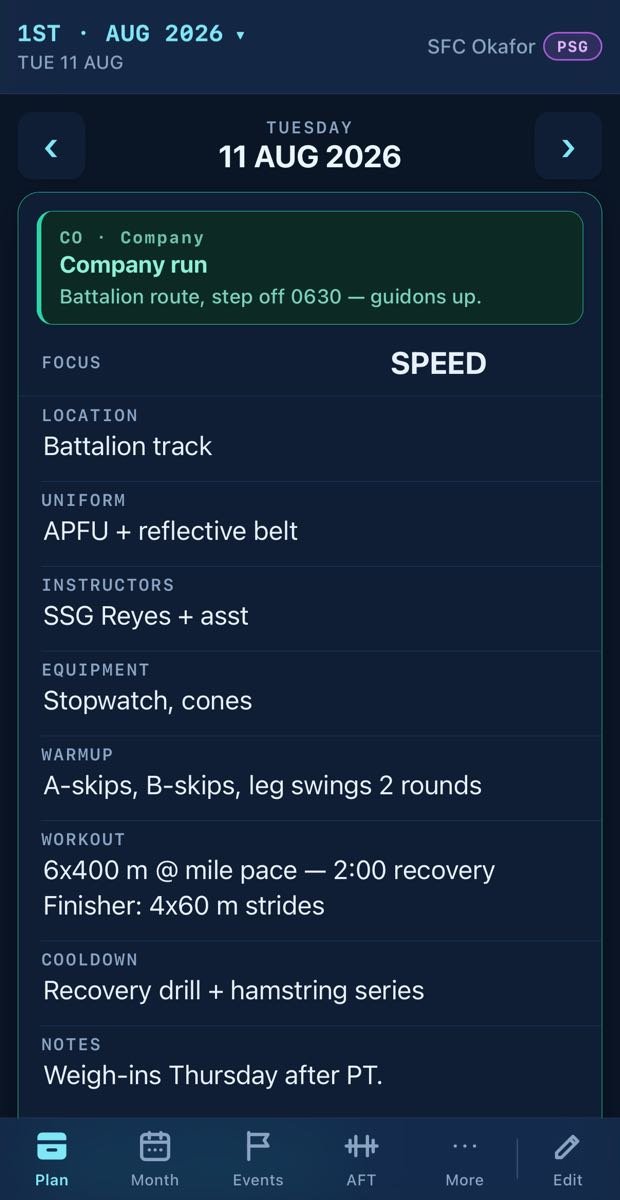
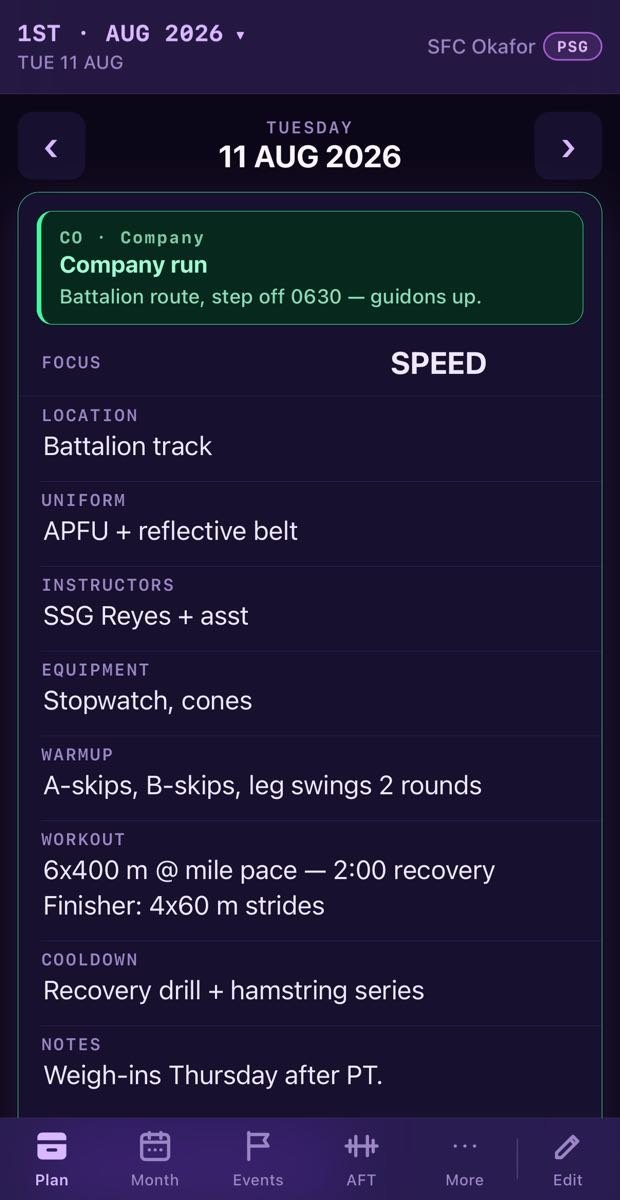
One day of the PT plan at a time on a phone
01One day at a timeThe whole session, on the phone in your pocket.
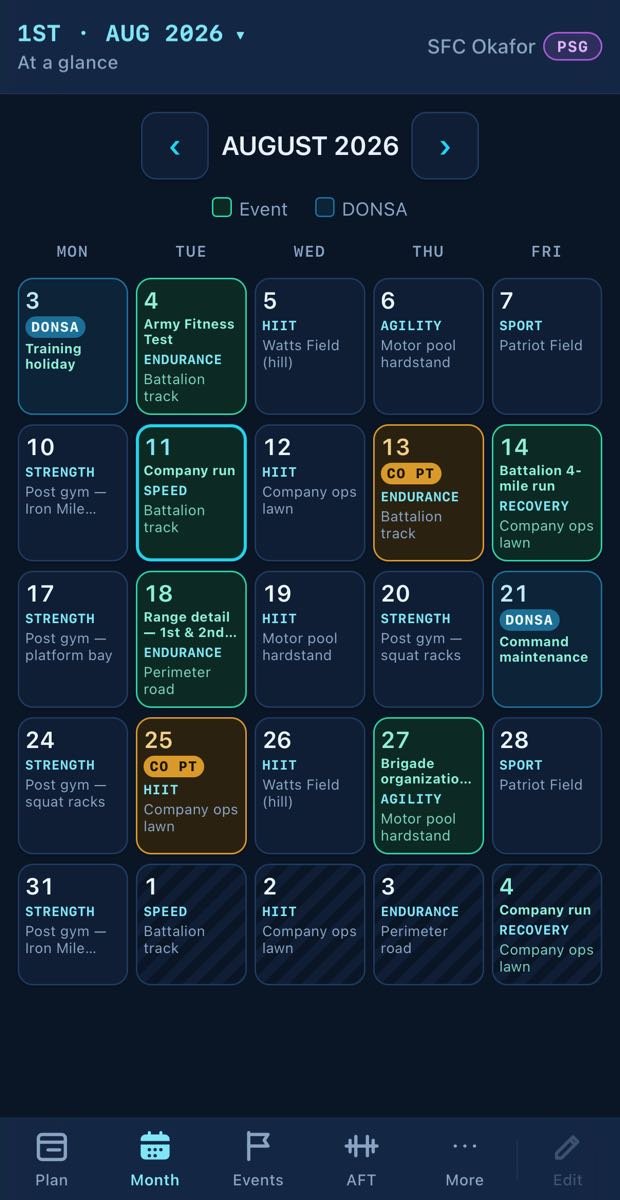
Month calendar on a phone
02Month calendarThe month the whole platoon can see.
AFT rollup shown as cards on a phone
03AFT rollupThe same rollup, as cards.
Test day on a phone
04Test dayRoster and scoring from the field.
Company view on a phone
05Company viewCommand visibility, pocket sized.
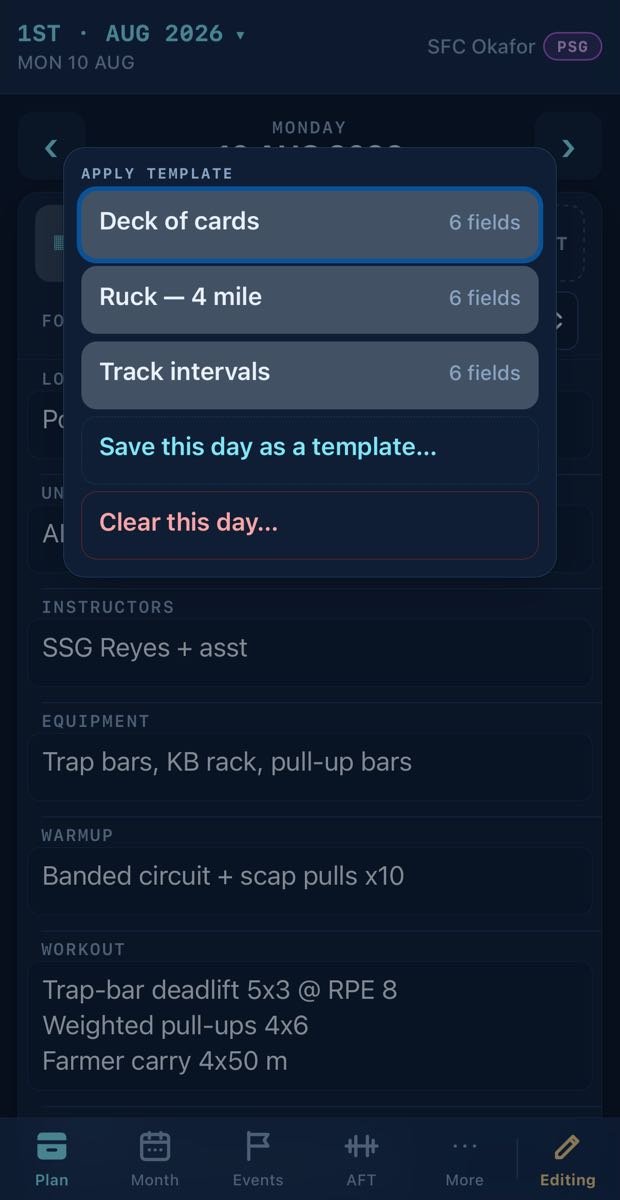
Template menu over a day plan on a phone
06Workout templatesReuse a saved session across weeks and squads.
Day view under the Cyberpunk theme on a phone
07Cyberpunk themeCharcoal and violet, if that is your unit.
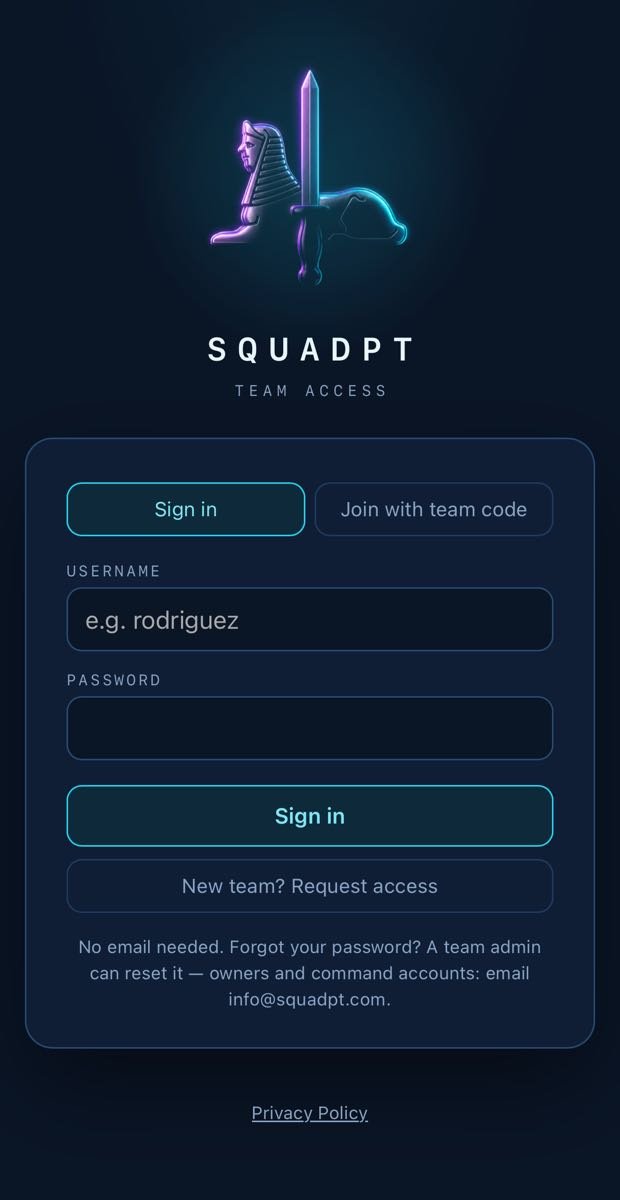
The SquadPT sign-in screen
08Sign inA username and a team code. That is the whole door.

03 Mission

Built for the squad, platoon and company.

Every squad leader gets a shared weekly PT plan; platoon and company leadership get continuous visibility of it — cutting planning time, keeping squads synchronized, and putting a one-page brief in every leader's hand the night prior.

04 Standing operating procedure

Three moves to running.

01

Request a code

One team code covers your platoon. It takes about a minute.

02

Share it with your squad leaders

They join with the code and a username. No email, no CAC, nothing to provision.

03

Everyone plans from their phone

Squad leaders own their plan. Leadership sees all of it — nobody chases anybody down.

05 Capabilities

What a PT formation actually needs.

01

Weekly plan grid

Nine fields per day, focus through notes. The whole session on one board — not a calendar blurb.

02

After-action review

Every soldier writes their own sustains and improves on the session they just did. Squad leaders and above read the squad's.

03

Events & DONSAs

Post once at platoon level. It lands, in green, on the matching date in every squad's plan.

04

One-page PT brief

Save as PDF from any squad's month. Clean print layout, ready for the commander or the CQ desk.

05

Roles & edit grants

Squad leaders own their squad. The PSG oversees everything and grants edit access by the month, on purpose.

06

Workout templates

Save any session as a template and reuse it across weeks and squads — a full week planned in minutes.

07

AFT & waist-to-height

Record the raw scores; SquadPT does the points, the bands and the totals. Squad and platoon rollups put the weak event in front of you.

08

Test days

Schedule the test, roster who takes it and who grades it. On the morning that roster is already a queue, and it keeps its own count.

09

Company view

Platoons link under a company for command visibility, company events and assigned PT days — plus named delegate roles for the staff who run it day to day.

06 OPSEC

Nothing to leak.

No email on file

Accounts are a username and a password. There is nothing to phish and no roster to leak.

Team-code access

You decide who holds the code — and rotate it if it walks off.

Your team sees only your team

A company link is made deliberately, by you, and command only ever sees the platoons linked to it.

No ads. No tracking.

Your training data is not a product.

Read the privacy policy — it's short →

07 Rumor control

Straight answers.

What does it cost?
Nothing. SquadPT is free for every unit at every level — squad, platoon and company alike. There are no paid plans, no in-app purchases and no card.
Do we need a .mil email or a CAC?
No. Accounts carry no email at all. Join with your team code from any phone or browser, or install the app from the App Store or Google Play.
Who can see our plan?
Only members who joined with your team code. If your platoon links under a company, that company's leadership can see it — a link your team owner makes deliberately and can undo.
Who can edit what?
Squad leaders edit their own squad's plan. The team owner — usually the PSG — sees everything and grants month-scoped edit access. A linked company sees your plans, and command can name delegate roles with view, or view and edit, on a platoon. Command never becomes the owner of your team.
Who can see our AFT scores?
A soldier always sees their own. Squad leaders see their squad; the PSG tier sees the platoon. Scores are walled off row by row in the database, and there is no platform-level back door to read them.
How do we get a team code?
Request one from the sign-in page. Questions first? Email info@squadpt.com.

08 — Move out

Move out.

A team code takes about a minute.

Free for every unit · no email on file · any phone